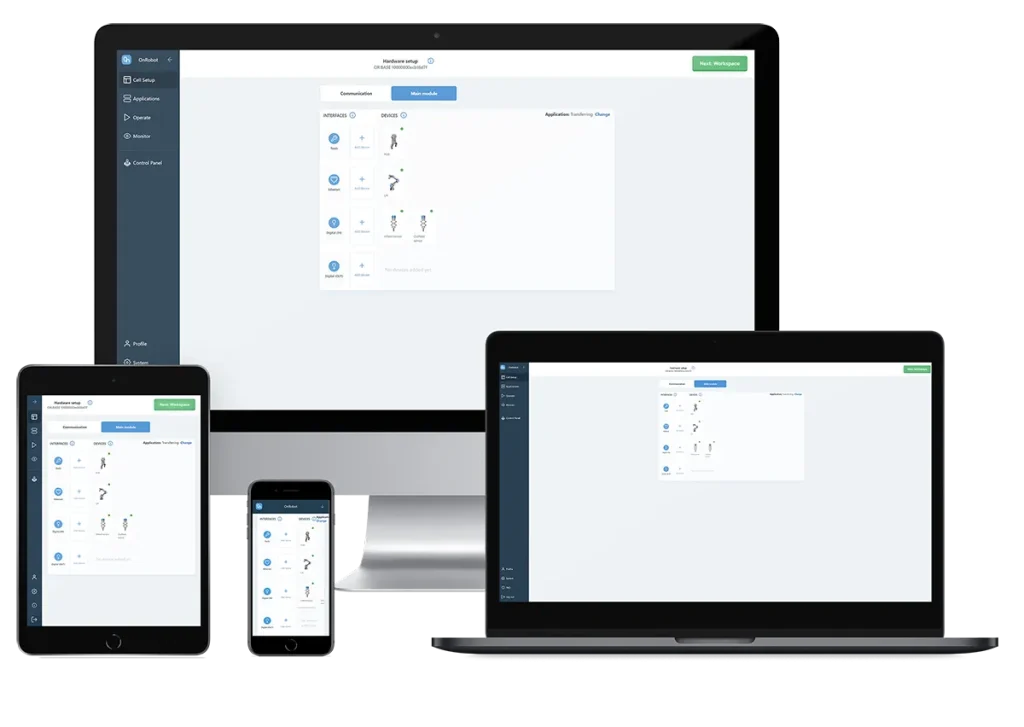
D:PLOY is industry’s first automated platform for building, running, monitoring, and re-deploying collaborative applications. It automates the process of getting a robotic application up and running, allowing deployment directly on the manufacturing floor, with zero programming and zero simulations. With D:PLOY, complete applications can be deployed in just a few hours.
Main features
Automate faster, easier, and without risk
Solve labor shortage problems
Relieve operators from unwanted tasks
Up to 90% deployment time savings for faster ROI
Improve productivity and stay ahead of competition
Take control of your automation journey
Why D:PLOY
One system, zero complexity, unlimited opportunities
D:PLOY simplifies automation to provide you with a flexible, easy, and affordable entry point into robotic automation. D:PLOY offers dramatic savings of up to 90% on deployment and re-deployment time compared to conventional solutions available up until now, enabling you to finally reap the benefits of automation. D:PLOY helps bring down overall automation costs by reducing deployment and re-deployment time for you to see faster, lower-cost implementation, while gaining control over ongoing automation changes in your production.
Get started with D:PLOY in just a few easy steps
STEP ONE
Cell setup
D:PLOY automatically discovers most of the installed hardware. You no longer need to spend a lot of time on setting up the robot, install or program the interface to control tools and other cell components.
STEP TWO
Workspace
Use the intuitive graphical interface to set workspace obstacles and cell boundaries. D:PLOY automatically generates a collision-free path depending on the obstacles defined.
STEP THREE
Application set up
Enter workpiece attributes, pick position and other application inputs via the simple step-by-step flow. D:PLOY automatically generates and optimises all the program logic, signal exchanges, event handling and path planning for the entire application.
STEP FOUR
Operate & Monitor
Run your application at a click of a button. With minimal configuration, get monitoring insights into performance indicators in real time to enhance productivity and minimise downtime.
STEP FIVE
Re-deploy
Quickly make changes and re-deploy the application when production requirements change, such as introducing a new part or to meet new packaging or palletising needs.
Speed your application process
Multiple D:PLOY applications, same easy interface
The D:PLOY platform combines hardware and software to deliver solutions that address various robotic applications. Today, D:PLOY supports the following applications, with more to follow.
PALLETISING
Quickly and easily set up and adapt your palletising application with D:PLOY palletising
Up to 90% deployment time savings for faster ROI
Flexible pallet placement, including second pallet for increased productivity
Easily redeploy for new boxes or containers
Relieve operators from strenuous tasks
TRANSFERRING
Quickly set up, run and redeploy any pick-and-place application with D:PLOY Transferring
At least 50% deployment time savings for faster ROI
Eliminate downtime and boost productivity
Easily grow and manage new lines with fast re-deployment
Relieve employees from monotonous tasks
CNC
Eliminate the complexity of robotic CNC machine tending with D:PLOY CNC
At least 80% initial deployment time savings for faster ROI
Faster and more reliable lead times for your customers
Solve labor shortage problems and boost productivity
Gain ownership of application changes
PACKAGING
Get fast, easy packaging without complex robot programming with D:PLOY packaging
At least 80% deployment time savings for faster ROI
Eliminate downtime and boost productivity
Easily redeploy for new products
Relieve employees from monotonous tasks
If you’re looking for robot tooling/grippers, or a robot automation specialist in the UK, please get in touch.
We’ll work with you to advise and develop the most appropriate solution, no matter how complicated.